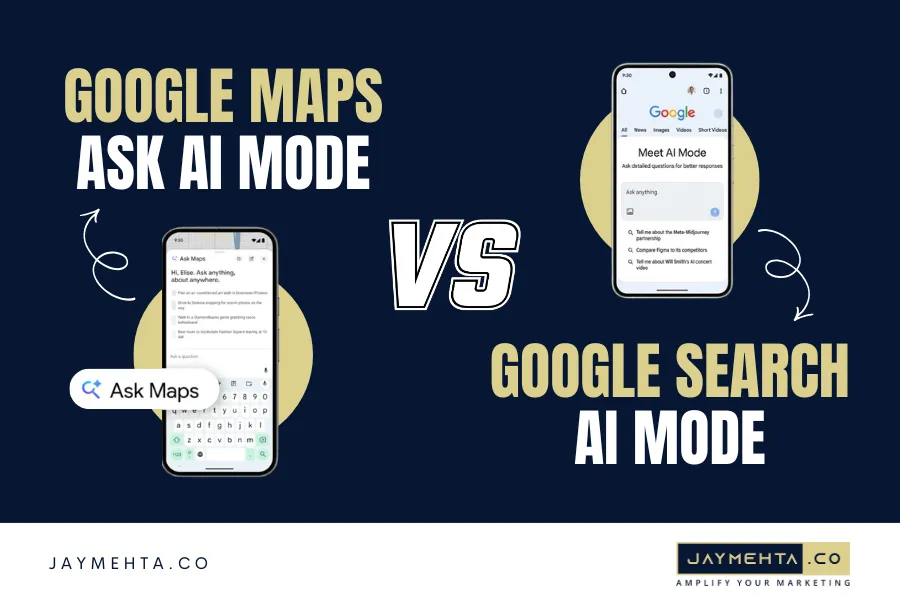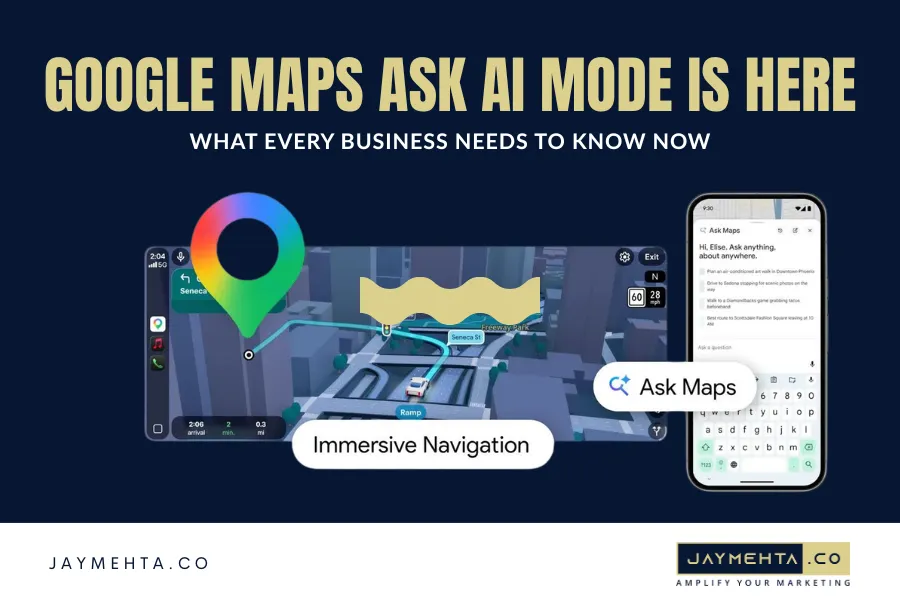
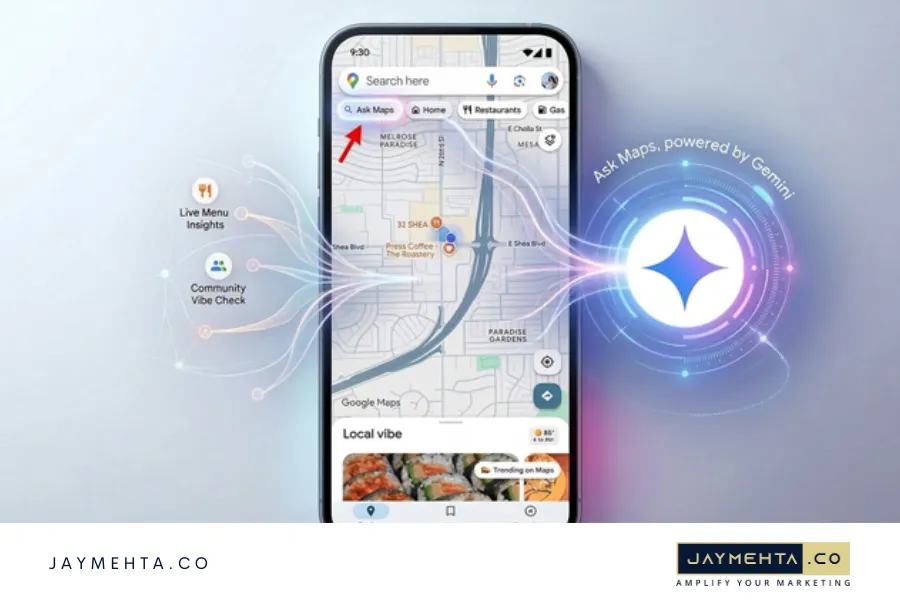
Google just announced “Ask Maps“, which is a new feature in Google Maps that leverages Gemini to help users research local businesses, plan trips, get recommendations, and more.
Now the audience was also able to get on a call with the Gemini team to ask questions about the feature, where it’s headed, if ads are coming, and more.
“Ask Maps” is rolling out today to users in the U.S. and India in the Google Maps app (both Android and iOS are supported with the rollout). And the desktop is coming soon according to the post.
If Local SEO is important for your business, then I highly recommend digging in soon to see how your business shows up, what customer sentiment looks like, and how your overall listings look while part of the AI response to help in your Digital Marketing.
Check: AI-Powered SEO: 9 Key Principles for Next-Level Content Creation
What Is Google Maps Ask AI Mode and How Does It Work?
Google Maps Ask AI Mode is a conversational AI layer built directly into Google Maps, powered by Google’s Gemini model. It transforms Maps from a navigation and directory tool into an intelligent local search assistant capable of understanding complex, multi-factor queries.
Where standard Maps search handles simple inputs “pizza near me” or “Austin hotels” Google Maps Ask AI Mode handles questions like a knowledgeable local would:
- “Find me a quiet café with fast Wi-Fi near Austin that’s open before 8 AM”
- “Best family restaurant in Austin under $1,500 for a Saturday lunch”
The AI processes these queries by synthesising real-time signals: star ratings, review sentiment, category tags, photos, business attributes, opening hours, and proximity then presents a structured, human-readable response rather than a raw list of pins.
This is not a minor feature update. Google Maps Ask AI Mode fundamentally changes how users discover businesses which means it fundamentally changes how businesses need to manage their local presence.
Google Maps Ask AI Mode Rollout Details You Need to Know
Here is exactly what Google confirmed about the rollout of Google Maps Ask AI Mode:
Live Now:
- United States Android & iOS
- India Android & iOS
Coming Soon:
- Desktop confirmed in Google’s official announcement, timeline not specified
To access the feature, open your Google Maps app and look for the new AI-enabled search bar or “Ask” prompt. If you are in the U.S. or India and the update has pushed to your device, the feature is available now.
Pro Tip: Even if you cannot access the feature personally yet, search for your own business category the way a real customer would phrase it using a friend’s device or a second account and see whether your business surfaces in the AI response. The results will tell you exactly where your GBP profile stands right now.
Also Check: Google Business Profile Photo Order Is Changing. Here’s Why Your Best Images Aren’t Showing First
What We Saw During One Week of Testing Ask Maps
During the first week of hands-on testing with Google Maps Ask AI Mode, three capabilities stood out consistently.
- Sentiment Reading, Not Just Star Averaging: The AI doesn’t simply surface the highest-rated options. It reads why a business is rated highly. A restaurant with a 4.1 average might appear above a 4.6-rated competitor because its reviews consistently mention phrases matching the user’s intent “great for groups,” “quick lunch,” “quiet atmosphere.” This is a fundamental shift in how reviews function as a ranking signal.
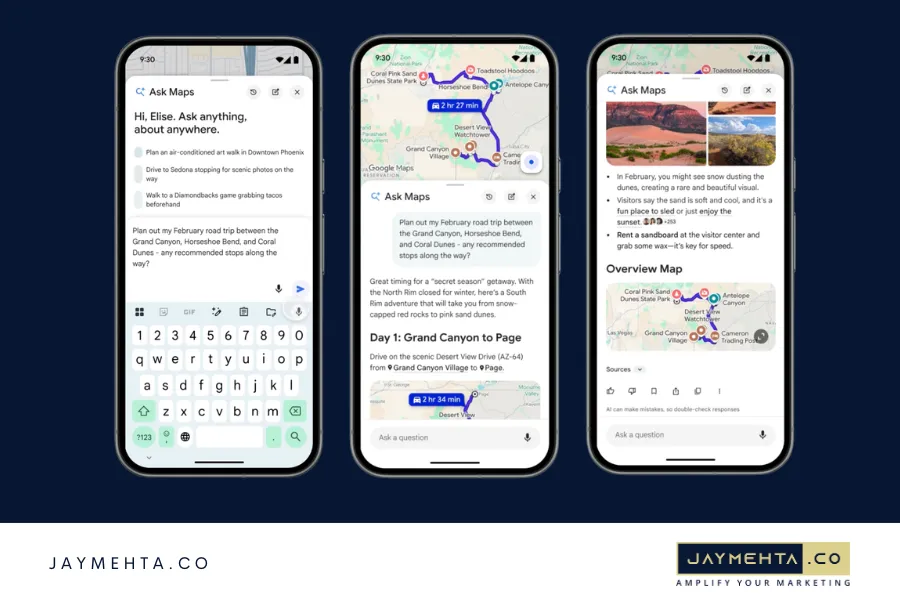
- Multi-Turn Conversation Support: Users can refine results conversationally. After an initial response, you can follow up with “only show me options with outdoor seating” or “which of these are open on Sundays?” and the AI adjusts without requiring a new search. This behaviour mirrors what users are already trained to expect from ChatGPT and Gemini Chat, making adoption frictionless.
Trip and Itinerary Planning: This is where Google Maps Ask AI Mode becomes a direct competitor to standalone travel planning apps. Ask it to build a half-day plan starting from a specific location and its sequence stops logically considering geography, category variety, and opening hours simultaneously. For tourism-adjacent businesses, this is a significant new discovery surface.
What This Means for Your Google Business Profile Right Now
Google Maps Ask AI Mode pulls directly from your Google Business Profile data. Every field of your categories, photos, service descriptions, Q&A, attributes, hours, and reviews is now an AI input that influences whether and how your business appears in Ask Maps responses.
Ask Maps activity is expected to appear in your GBP reporting but it will not be broken out as a separate surface, at least not in this initial rollout stage.
That is a meaningful gap. As Google Maps Ask AI Mode scales, businesses will need a way to distinguish organic Maps visibility from Ask Maps-driven impressions. Our expectation is that Google will add this as a distinct reporting surface in GBP similar to how “Search” and “Maps” were eventually separated but for now, it is aggregated.
What to audit in your GBP immediately:
- Review Quality and Recency: Ask Maps synthesises sentiment. If your reviews are old, thin, or contain recurring negatives, the AI will read that signal. A proactive review generation strategy is now essential, not optional.
- Profile Completeness: Every attribute, photo, service description, and Q&A item is a potential AI input. Treat an incomplete GBP profile as an invisible GBP profile in the Ask Maps era.
- Category Precision: Your primary and secondary categories must reflect how users naturally phrase their intent queries. Google Maps Ask AI Mode is query-intent driven not just proximity driven. A spa categorised only as “Beauty Salon” will lose to one properly categorised as “Day Spa” when a user asks for relaxation recommendations.
- Photo Volume and Quality: AI-curated responses surface visually rich listings. Outdated, dark, or low-resolution photos are a competitive disadvantage. Upload fresh, high-quality images across all relevant categories.
Also Check: Mastering Voice Search SEO: Optimization Strategies for Voice Search
Are Ads Coming to Google Maps Ask AI Mode?
Yes, maybe in the future. If a user asking “best gym near me with a pool under $600 per month” is expressing one of the highest commercial intent signals on the internet. That is exactly the kind of query local advertisers pay premium CPCs to target on Google Search. Extending paid placements into Ask Maps is a logical next step and likely a lucrative one for Google.
The implication for businesses: the window to build organic Ask Maps visibility on merit alone is open right now. When ads arrive, paid placements will crowd the top of results just as they do in Search. Businesses with strong GBP foundations, high review volume, and established Ask Maps visibility will hold a meaningful structural advantage.
Explore how Jay Mehta Digital’s local SEO and digital marketing services can help you build that foundation before the competitive landscape shifts.
Five Things Local Businesses Should Do This Week
If Google Maps Ask AI Mode is live in your market today, here is the immediate action list:
- Search for yourself the way your customers would. Open Maps, activate Ask Maps, and type a natural language query for your category and area. See whether your business appears, and if so, how it is described by the AI.
- Audit your GBP profile end-to-end. Every field matters now. Hours, attributes, services, descriptions, photos, Q&A treat it like a structured data asset, because the AI reads it that way.
- Launch a review generation push. Volume and recency both matter. Set up a simple post-purchase or post-service review request flow if you don’t already have one.
- Upgrade your photos. Upload a minimum of 10 to 15 recent, high-quality images across your interior, exterior, products, and team. AI responses surface visually compelling listings.
- Get your strategy right before ads arrive. The businesses building GBP authority now will be harder to displace when paid placements enter the picture.
Conclusion
Google Maps Ask AI Mode is one of the most significant shifts in local search in years. It changes not just how users find businesses but what signals determine which businesses get found.
The rollout is live today in the U.S. and India. Desktop is coming. Ads will follow. And the businesses that treat this moment seriously auditing their GBP, investing in review quality, and optimising for conversational query intent will hold a compounding advantage as Google Maps Ask AI Mode scales globally.
The time to act is now, before the window of organic-only visibility closes. Connect with Jay’s team to build a local visibility plan that accounts for where Google Maps Ask AI Mode is headed, not just where it is today.