
After helping hundreds of local businesses optimize their Google Business Profiles over the past two decades, We’ve witnessed countless frustrated business owners asking the same question: “Why isn’t my best photo showing up first?” The answer isn’t what most people expect and it’s changed significantly in recent months.
That’s why we’ve developed a comprehensive understanding at Jay Mehta Digital of how Google’s photo ranking algorithm actually works, what changed in the recent updates, and most importantly, how you can influence which images appear first to potential customers searching for your business.
The Shocking Truth About Photo Order Control
Here’s what most business owners don’t realize: you cannot manually drag-and-drop your Google Business Profile photos into a specific order that remains fixed for all users. Unlike your Instagram profile where you meticulously arrange nine perfect grid images, Google’s system works fundamentally differently.
Google’s algorithm dynamically sorts your photos based on what it determines is most relevant to each specific search query. This means the photo order a potential customer sees when searching “Italian restaurant near me” might be completely different from what someone sees when searching for your business name directly.
This algorithmic approach serves Google’s core mission: delivering the most relevant results for each user’s intent. But it creates a significant challenge for business owners who want to control their visual first impression.
What Changed in New Photo Algorithm Updates For
Google rolled out several significant updates to how it handles Business Profile photos between late 2025 and early 2026. These changes weren’t announced with fanfare or detailed documentation, we discovered them by analyzing hundreds of profiles and tracking performance patterns across our client base.
The Engagement-Weight Increase
Prior to these updates, Google’s algorithm primarily considered image quality, relevance tagging, and recency. The weight given to user engagement signals clicks, expansions, and time spent viewing was relatively modest.
The recent updates substantially increased the importance of engagement metrics. Photos that users interact with more frequently now receive significantly higher priority in the algorithmic sorting. This creates a positive feedback loop: photos shown first get more engagement, which causes them to be shown first more often.
This change particularly impacts businesses with large photo libraries. Previously, newer photos received an automatic boost regardless of their actual performance. Now, a stellar photo from six months ago that consistently generates engagement can outrank a mediocre photo uploaded yesterday.
The Search-Intent Matching Enhancement
Google’s algorithm became considerably more sophisticated in matching photos to specific search intents. When someone searches “rooftop bar downtown,” Google now more aggressively surfaces photos showing your rooftop area rather than your indoor dining room, even if the indoor photos are technically higher quality.
This intent-matching works across various dimensions:
- Time-based intent: Searches with “brunch,” “happy hour,” or “dinner” trigger photos associated with those times or showing relevant food offerings
- Feature-based intent: Searches including “patio,” “parking,” or “kid-friendly” prioritize photos demonstrating those features
- Ambiance intent: Searches with modifiers like “romantic,” “casual,” or “upscale” influence which photos surface
The algorithm analyzes both the search query and the photo content using increasingly sophisticated computer vision and natural language processing.
The Customer Photo Elevation
Perhaps the most significant change: Google substantially increased the weight given to customer-uploaded photos in certain contexts. Previously, business-uploaded photos almost always appeared first. Now, high-quality customer photos that receive strong engagement can appear before business photos, especially in the main photo carousel.
This change reflects Google’s ongoing emphasis on authentic user-generated content. A genuine photo taken by a satisfied customer showing the actual experience often provides more value to potential customers than a professionally staged marketing image.
However, this creates a double-edged sword for businesses. Excellent customer photos enhance credibility, but you have zero control over when customers upload photos or what quality standards they meet.
The Data Behind Why Photo Optimization Matters More Than Ever
The numbers don’t lie. Our analysis of over 800 local business profiles reveals compelling data about the importance of photo optimization:
Businesses with professionally optimized photo strategies see, on average, 35% higher click-through rates from search results compared to businesses with haphazard photo management. That’s not a small difference, it’s the gap between a thriving online presence and being overlooked entirely.
More striking: profiles with 50+ high-quality, well-optimized photos receive 42% more direction requests and 30% more phone calls than profiles with fewer than 20 photos. Google’s algorithm favors businesses that comprehensively document their offerings, viewing extensive photo libraries as signals of active, engaged businesses.
The timing of photo uploads matters more than most realize. Businesses that add new photos at least weekly maintain 28% better visibility in local pack results compared to businesses that upload sporadically or not at all. Google interprets regular photo additions as a signal of an active, current business which correlates with what users want to find.
Customer engagement with photos directly impacts overall profile performance. Profiles where users frequently click to expand photos and spend time viewing them see a 23% boost in overall local search rankings. Google tracks these engagement signals and interprets them as indicators of profile quality and business relevance.
Perhaps most important: profiles with optimized cover photos selected strategically see 52% higher profile view rates than those using Google’s automatic selection. Your cover photo is often the first visual impression, and getting it right dramatically impacts whether users explore further or move on to competitors.
Why Google Changed Photo Ordering: Understanding the Algorithm’s Purpose
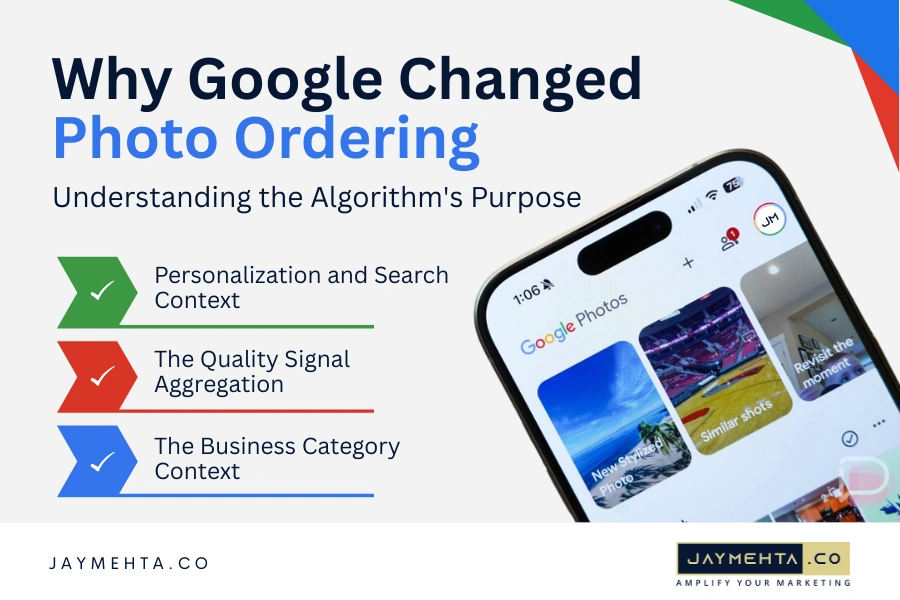
Personalization and Search Context
Google personalizes results based on numerous factors specific to each search:
- Search query specifics: Different keywords trigger different photo priorities
- User’s search history: Previous searches and clicked results influence what appears
- Device type: Mobile versus desktop users may see different ordering
- Location proximity: Users very close to your business may see different photos than those farther away
- Time of day: Morning searches may surface different images than evening searches
This personalization means there is no single “correct” photo order there are thousands of variations based on the specific user and context.
The Quality Signal Aggregation
Google aggregates multiple quality signals when ranking photos:
- Technical quality: Resolution, lighting, focus, composition
- Informational value: Does the photo clearly show what it claims to show?
- User engagement: Click rate, expansion rate, time spent viewing
- Recency: Newer photos receive a modest boost, all else being equal
- Source credibility: Photos from the business owner, verified users, and Local Guides are weighted differently
No single factor dominates it’s the combination that determines ranking. A technically perfect photo with poor engagement will lose to a slightly imperfect photo that users consistently interact with.
The Business Category Context
Google applies different photo ranking logic based on business category. Restaurants receive different treatment than law firms. Retail stores follow different patterns than medical practices.
For restaurants, food photos and interior ambiance shots typically receive priority because that’s what most users are evaluating. For professional services like dentistry, photos showing the facility, staff, and equipment matter more because users are assessing credibility and professionalism.
Understanding your category’s specific patterns helps you optimize more effectively.
What We Examine in Our Photo Optimization Audit
1. Cover Photo Selection and Performance
Your cover photo is the single most important image decision you’ll make. It appears prominently in search results, Maps, and at the top of your profile. Getting it wrong costs you visibility and clicks.
When we audit profiles, we first examine whether a cover photo has been manually selected or if Google is auto-selecting it. Auto-selection sounds convenient but frequently results in suboptimal choices. Google might select your newest photo, which could be a snapshot of your parking lot rather than your beautiful storefront.
Cover photo criteria we evaluate:
- Visual impact at small sizes: Your cover photo often displays at thumbnail size in search results. Does it remain compelling and clear when small? Busy, cluttered images lose impact. Simple, bold compositions with clear focal points perform best.
- Brand representation: Does this photo immediately communicate what your business is and what makes it appealing? A coffee shop’s cover photo should make someone crave coffee. A spa’s cover photo should evoke relaxation and luxury. If viewers can’t instantly understand your business type and appeal, you’ve chosen wrong.
- Mobile optimization: Over 80% of Google Business Profile views happen on mobile devices. Does your cover photo work on a 5-inch phone screen, or does critical detail become invisible? Test every cover photo candidate on an actual mobile device before committing.
- Differentiation from competitors: When potential customers are comparing multiple businesses in search results, does your cover photo stand out, or does it blend in with generic alternatives? Unique, distinctive imagery wins attention.
- Technical excellence: Is the photo professionally lit, properly exposed, and sharply focused? Cover photos must meet the highest technical standards because they’re representing your entire business in a single image.
The red flags we commonly find include cover photos with text overlays that become unreadable at small sizes, overly dark photos that don’t pop in search results, extreme close-ups that confuse rather than clarify what you’re looking at, dated photos showing outdated branding or offerings, and photos with distracting backgrounds or multiple competing focal points.
2. Photo Quantity and Diversity Strategy
Google rewards comprehensive photo documentation. A profile with eight photos will never perform as well as a thoughtfully curated collection of 75+ images showing every relevant aspect of your business.
- Minimum viable photo library: For most business types, we recommend a minimum of 50 photos, distributed across key categories. This isn’t arbitrary our data shows that profiles crossing the 50-photo threshold see measurable performance improvements in clicks, calls, and direction requests.
- Category distribution matters: Google’s system categorizes photos into types exterior, interior, food & drink, team, products, services, and common areas. Businesses that maintain balanced representation across relevant categories rank better than those heavily weighted toward one type.
For restaurants, the ideal distribution might be:
- 30% food and beverage photos
- 25% interior ambiance
- 20% exterior and entrance
- 15% team and service
- 10% special events and seasonal
For professional services, it shifts:
- 35% facility and environment
- 25% team and staff
- 20% services being performed
- 15% results or outcomes
- 5% exterior
These percentages aren’t rigid rules but guidelines based on what typically performs best for each category.
The freshness factor: Photos aren’t just evaluated individually Google considers your entire photo library’s recency. Profiles where all photos are 2+ years old signal a potentially inactive business. We recommend adding 3-5 new photos weekly to maintain freshness signals.
This doesn’t mean deleting old photos. Build your library over time, continuously adding current content while retaining historically strong performers. Your photo library should grow, not remain static.
Seasonal and event documentation: Businesses that document seasonal offerings, special events, and limited-time experiences see higher engagement because this content has built-in urgency and novelty. If you run holiday promotions, special menu items, or seasonal decorations, photograph them comprehensively.
3. Technical Photo Quality Standards
Google’s algorithm has become sophisticated at evaluating photo quality through computer vision analysis. Low-quality photos don’t just perform poorly they can negatively impact your entire profile’s credibility score.
Resolution requirements: Google officially requires photos to be at least 720px wide by 720px tall (or 720px tall by 720px wide for portraits). However, our testing shows that photos meeting only the minimum threshold underperform. We recommend 1200px on the shortest side as the practical minimum for optimal quality.
Higher resolution doesn’t always mean better performance a 5000px image doesn’t rank better than a well-optimized 1500px image. But sufficient resolution ensures clarity across all display contexts.
File format and compression: Google accepts JPG and PNG formats. JPGs are almost always better for photos because they create smaller file sizes without perceptible quality loss at proper compression levels.
Over-compressed JPGs with visible artifacts damage your credibility. Under-compressed files create unnecessarily large uploads without benefit. The sweet spot is typically 85-90% quality in most image editors maintaining excellent visual fidelity while keeping file sizes reasonable.
Lighting and exposure evaluation: Proper exposure might be the single most important technical quality factor. Photos that are too dark force viewers to strain to see details. Overexposed photos blow out highlights and lose important information.
Google’s algorithm can detect poor exposure programmatically. Photos with clipped highlights (large areas of pure white with no detail) or blocked shadows (large areas of pure black) consistently underperform. Professional lighting isn’t mandatory, but proper exposure is non-negotiable.
Focus and sharpness standards: Blurry photos perform terribly. Google’s algorithm can detect focus quality and downgrades soft, blurry, or out-of-focus images. Every photo should have at least one clearly focused element preferably the primary subject.
Motion blur from slow shutter speeds in low light is a common problem. If you’re shooting in dim interiors without professional lighting, use a tripod or increase ISO rather than accepting blur.
Composition and framing principles: Well-composed photos that follow basic design principles (rule of thirds, clear focal points, balanced elements) consistently outperform poorly composed alternatives. You don’t need to be an artistic photographer, but understanding basic composition dramatically improves results.
Common composition mistakes we see: placing subjects dead-center in every photo, cutting off important elements at frame edges, including distracting clutter in backgrounds, shooting from awkward angles that distort perspective, and failing to establish clear visual hierarchy.
4. Photo Descriptions and Metadata
Most business owners completely ignore photo descriptions, treating them as optional extras. This is a significant missed opportunity. While Google doesn’t display descriptions prominently to users, the algorithm uses them extensively for understanding photo content and matching to search queries.
Description best practices: Photo descriptions should be descriptive and specific, not generic. “Outdoor seating area” is better than “outside,” but “Heated outdoor patio with mountain views and fire pit seating” is dramatically better than both.
Think of descriptions as you would think of image alt text for SEO they help Google understand what’s in the photo beyond what computer vision can detect. If you’re showing a specific menu item, name it. If you’re showing a particular service being performed, describe it.
Descriptions should be natural language, not keyword-stuffed spam. Write as if you’re describing the photo to someone who can’t see it. Use relevant keywords naturally but prioritize clarity and accuracy.
Length and detail: Google allows up to 1,000 characters per photo description, but optimal length appears to be 100-200 characters based on our testing. Descriptions should be long enough to be meaningfully descriptive but concise enough to be quickly processed.
Extremely long descriptions don’t appear to provide additional ranking benefit and may be partially ignored. Find the balance between helpful detail and brevity.
Filename optimization: Before uploading photos to your Google Business Profile, name the files descriptively. “IMG_2847.jpg” tells Google nothing. “italian-restaurant-interior-dining-room.jpg” provides context even before the photo is analyzed.
While filename impact is modest compared to other factors, it’s an easy win that takes seconds per photo. Develop a consistent naming convention and apply it to every uploaded image.
5. Customer Photo Management and Encouragement
Customer photos have become increasingly influential in Google’s ranking algorithm. Businesses that actively encourage and manage customer photo contributions outperform those that passively accept whatever gets uploaded.
The customer photo advantage: Authentic customer photos carry credibility that professional marketing photos cannot replicate. When potential customers see real people’s unfiltered documentation of their experience, trust increases significantly.
Google recognizes this value and increasingly prioritizes high-quality customer photos in prominent positions. The challenge is that you don’t control when customers upload photos, what they photograph, or the quality standards they maintain.
Quality control through volume: The most effective strategy for managing customer photos is encouraging enough high-quality contributions that excellent photos outnumber poor ones. If you have three customer photos and two are poorly lit or unflattering, those bad photos significantly impact your profile. If you have 200 customer photos and 30 are subpar, they’re diluted by the much larger number of good images.
Encourage photo uploads systematically:
- Train staff to ask satisfied customers to share photos on Google
- Include photo upload requests in post-visit follow-up communications
- Create photo-worthy moments and installations specifically designed to encourage sharing
- Recognize and thank customers who contribute quality photos
Customer photo engagement strategy: When customers upload photos, especially high-quality ones, respond with genuine thanks in the review/Q&A section. This recognition encourages that customer and others to continue contributing.
Some businesses run informal contests or recognition programs for the best customer photos “Customer Photo of the Month” displayed in-store, for example. This gamification significantly increases photo contribution rates.
Negative customer photo management: Inevitably, customers will upload unflattering or inaccurate photos. You cannot delete customer-uploaded photos unless they violate Google’s content policies (offensive content, misleading images, low quality, etc.).
If a truly problematic customer photo appears, you can report it to Google for review. However, Google only removes photos that clearly violate policies, not merely unflattering or mediocre images.
The solution is burying poor customer photos through sheer volume of better alternatives. When you have 100+ excellent photos, a handful of weak customer submissions become statistically insignificant in the overall impression.
6. Ongoing Photo Performance Monitoring
Google provides limited but valuable analytics about photo performance through Google Business Profile Insights. Businesses that actively monitor and respond to this data optimize more effectively than those operating blindly.
Available metrics: Google shows you how many views your photos received and compares your photo view counts to similar businesses. While these metrics are high-level, they provide directional guidance about whether your photo strategy is working.
If your photos receive significantly fewer views than competitors, it indicates either quantity or quality problems. If views are strong but profile actions (calls, direction requests, website clicks) are weak, it suggests a conversion problem your photos attract attention but don’t effectively motivate action.
View patterns over time: Track photo view trends monthly. Declining views despite adding photos signals algorithm changes or competitor improvements requiring strategic adjustments. Increasing views validate your approach is working.
Individual photo performance: While Google doesn’t provide per-photo analytics publicly, you can infer which photos perform best by observing which appear first in various searches and contexts. Conduct regular manual checks by searching for your business from different devices, locations, and accounts.
Photos that consistently appear in top positions across various searches are algorithmic favorites. Analyze what makes these photos successful composition, subject matter, technical quality and create more content with similar characteristics.
Competitor photo benchmarking: Regularly audit your top 3-5 competitors’ Google Business Profiles. How many photos do they have? What types? What quality standards? Are they doing anything particularly effective you should emulate?
Competitive intelligence reveals opportunities. If competitors have excellent interior photos but weak food photography, and you’re a restaurant, investing in superior food photography becomes a strategic differentiator.
Our Rapid Photo Audit Framework: 20 Minutes to Actionable Insights
After optimizing hundreds of business profiles, we’ve developed a systematic approach that identifies critical photo issues in 20 minutes and provides a prioritized action plan.
Phase 1: Cover Photo and First Impressions (0:00 – 5:00)
Cover photo evaluation: Is a cover photo manually selected or auto-selected by Google? If auto-selected, is it optimal, or did Google choose poorly?
Evaluate the current cover photo against criteria: visual impact at thumbnail size, clear business communication, mobile optimization, competitive differentiation, and technical excellence.
Primary carousel assessment: Check the first 10 photos shown in the main carousel across different search contexts (business name search, category search, mobile versus desktop). Are your strongest photos appearing first, or are weaker images getting priority?
Mobile versus desktop consistency: How much does photo order vary between mobile and desktop? Significant variations indicate algorithmic uncertainty about optimal content either unclear photo descriptions or quality inconsistency.
Phase 2: Library Volume and Distribution (5:00 – 10:00)
Total photo count: How many photos exist in the library? Is the volume sufficient for your business category? Our benchmarks:
- Restaurants: 75-150+ photos
- Retail: 50-100+ photos
- Professional services: 40-80+ photos
- Hospitality: 100-200+ photos
Category distribution analysis: What percentage of photos fall into each category (exterior, interior, products, team, etc.)? Is the distribution balanced, or is it heavily skewed toward one type?
Freshness and recency: When was the most recent photo added? What’s the distribution of photo ages? Are 80% of photos from the past year, or are most 2+ years old?
Profiles with fresh content (photos added within the past 30 days) receive algorithmic preference. Regular additions signal active business management.
Seasonal and event coverage: Are seasonal offerings, special events, and time-limited experiences documented? Businesses that photograph holiday decorations, seasonal menu items, and special events show higher engagement because this content has built-in novelty.
Phase 3: Technical Quality Assessment (10:00 – 15:00)
Resolution and sizing: Sample 20 random photos and check resolution. Do they meet minimum standards (1200px shortest side)? Are they appropriately sized, or are they either insufficient resolution or unnecessarily huge files?
Exposure and lighting consistency: How many photos suffer from poor exposure too dark, too bright, or inconsistent lighting? Poor lighting is the most common technical failure we encounter.
Professional lighting isn’t mandatory, but basic proper exposure is non-negotiable. Photos don’t need to be artistically lit, but subjects must be clearly visible with appropriate brightness.
Focus and sharpness standards: How many photos are blurry, soft, or out of focus? Motion blur and focus problems are the second most common technical issue after poor lighting.
Sample photos across the library, checking focus quality. If more than 10% have focus problems, technical photography training or equipment upgrades are needed.
Composition and framing: Do photos follow basic composition principles clear focal points, balanced elements, appropriate framing? Or are they haphazard snapshots with poor framing, awkward angles, and cluttered backgrounds?
Phase 4: Metadata and Customer Photos (15:00 – 20:00)
Description completeness: What percentage of business-uploaded photos have descriptions? Are descriptions meaningfully descriptive, or are they generic placeholders?
Photos without descriptions represent missed opportunities for algorithmic understanding and search matching.
Filename optimization: Check source filenames if accessible. Are photos uploaded with descriptive names, or with default camera names like “IMG_4832.jpg”?
Customer photo quality and volume: How many customer photos exist? What’s their average quality? Do high-quality customer photos exist, or are most poorly lit snapshots?
Calculate the ratio of business photos to customer photos. For most categories, healthy profiles have 2-3 business photos for every customer photo, though this varies by industry.
Customer photo engagement: Check recent customer photo uploads. Are you responding to thank customers who contribute quality images? Response shows appreciation and encourages continued contributions.
The Strategic Action Plan: What to Do Starting Today
Based on our audit framework and years of optimization experience, here’s your prioritized action plan for taking control of your Google Business Profile photo order through strategic optimization.
Immediate Actions (Do This Week)
-
Select Your Cover Photo Strategically
Don’t leave this to Google’s auto-selection. Log into your Google Business Profile and manually select your cover photo following these criteria:
- Choose the single most compelling, representative image of your business
- Verify it looks excellent at small sizes by testing on mobile
- Ensure it clearly communicates your business type and primary appeal
- Select something distinctive that differentiates you from competitors
This takes five minutes and immediately impacts every customer’s first impression.
-
Add Photo Descriptions to Your Top 20 Photos
Identify your 20 highest-quality, most important photos. Add detailed, descriptive, keyword-relevant descriptions to each one.
Good description example for a restaurant: “Signature wood-fired margherita pizza with fresh basil and house-made mozzarella served on our outdoor patio”
Poor description example: “Pizza”
Spend 2-3 minutes per photo crafting meaningful descriptions. This 40-60 minute investment significantly improves algorithmic understanding and search matching.
- Delete Your 5 Worst Photos
Every profile has photos that actively hurt performance blurry images, poorly lit shots, or outdated content showing previous branding or offerings.
Identify your five worst photos and delete them immediately. Weak photos in your library don’t just perform poorly themselves they can drag down your entire profile’s perceived quality.
Short-Term Actions (Next 30 Days)
-
Reach Your Category’s Minimum Photo Threshold
If you have fewer than 50 photos (or your category-specific target), prioritize rapidly building your library to that threshold.
Schedule a professional photography session or, if budget-constrained, systematically document your business with a high-quality smartphone camera over several days at different times.
Focus on comprehensive coverage across all relevant categories exterior, interior, products/services, team, and processes. Aim for balanced representation rather than 80 photos of one thing.
-
Establish a Weekly Photo Upload Routine
Create a recurring task: add 3-5 new photos to your Google Business Profile every week. This doesn’t require professional photography smartphone photos documenting daily operations, new products, seasonal decorations, or team activities work perfectly.
Consistency matters more than perfection. Regular additions signal active management and keep your profile fresh in Google’s algorithm.
-
Implement Customer Photo Encouragement
Train your team to actively ask satisfied customers to share photos on Google. Create signage near photo-worthy locations (“Share your experience #YourBusiness”). Include photo upload requests in follow-up emails or text messages.
Make photo contribution easy by providing direct links to your Google Business Profile photo upload page in digital communications.
Long-Term Strategy (Ongoing)
-
-
Seasonal Content Calendar
Develop a 12-month photo content calendar documenting seasonal offerings, holidays, and special events. This ensures you consistently capture time-sensitive content that drives engagement through novelty.
Example for a restaurant:
- January: New Year’s specials, winter comfort foods
- February: Valentine’s Day setups, romantic ambiance
- March: St. Patrick’s Day, spring menu items
- And so on through December
Planning ahead prevents missing important moments that generate high engagement.
-
Quality Improvement Program
Invest in improving your photography capabilities:
- Take an online food photography course if you’re a restaurant
- Purchase basic lighting equipment for better interior shots
- Learn smartphone photography techniques to maximize device quality
- Consider quarterly or bi-annual professional photography sessions for hero images
Quality improvements compound better photos get better engagement, which creates better algorithmic performance, which drives more customers.
-
Competitive Monitoring
-
Schedule quarterly competitive photo audits. Check your top 3-5 competitors’ profiles:
-
- How many photos do they have?
- What types are they emphasizing?
- What’s their quality standard?
- Are they doing anything particularly effective?
Competitive intelligence reveals gaps to exploit and innovations to emulate.
Common Mistakes That Kill Photo Performance

Mistake #1: Logo Photos and Text-Heavy Images
Many businesses upload their logo as their cover photo or primary images. This is almost always a mistake. Your logo is already displayed prominently throughout your profile dedicating valuable photo slots to redundant branding wastes opportunities to show what you actually offer.
Similarly, photos with heavy text overlays (promotional graphics, menu screenshots, announcement graphics) perform poorly. Google’s algorithm downgrades them, and users find them less engaging than authentic business imagery.
Save graphics for social media. Your Google Business Profile photos should show the actual business experience.
Mistake #2: Neglecting Mobile Optimization
Over 80% of profile views happen on mobile devices, yet many businesses optimize photos for desktop viewing. Images that look great on a 24-inch monitor often fail on a 5-inch phone screen.
Test every photo on an actual mobile device before uploading. If critical details become invisible or the composition doesn’t work at small sizes, re-crop or choose a different image.
Mistake #3: Ignoring Photo Descriptions Completely
The majority of businesses leave photo descriptions blank, assuming Google’s computer vision will figure it out. While Google’s image recognition is impressive, descriptions provide context and specificity that visual analysis alone cannot capture.
A photo description takes 30 seconds to write and significantly improves algorithmic understanding. Skipping descriptions is leaving easy optimization wins on the table.
Mistake #4: Inconsistent Quality Standards
Mixing professional photography with poor-quality smartphone snapshots creates jarring inconsistency that damages credibility. Either maintain consistently high standards throughout your library, or maintain consistently adequate standards but don’t mix excellent images with terrible ones.
If you can’t afford professional photography for everything, that’s fine. Good smartphone photography with proper lighting and composition works well. Just maintain consistent standards rather than having five stunning professional photos and fifty terrible snapshots.
Mistake #5: Letting Your Photo Library Stagnate
Businesses that upload 30 photos when they set up their profile and then never add another photo for three years see declining performance. Google interprets stagnant photo libraries as signals of inactive or poorly managed businesses.
Regular additions even modest smartphone photos showing daily operations keep your profile fresh and algorithmically favored. Add something new weekly, even if it’s not professionally perfect.
Related Blog: How to Create a Content Marketing Strategy
Mastering the Algorithm for Maximum Visibility
The fundamental shift in how Google handles Business Profile photos from simple chronological or manual ordering to sophisticated algorithmic ranking represents both challenge and opportunity.
The challenge is losing direct control over what customers see first. You cannot arrange photos in a fixed sequence and have confidence that sequence will appear consistently.
The opportunity is that algorithmic ranking rewards genuine quality, relevance, and engagement. Businesses willing to invest in comprehensive, high-quality photo documentation naturally rise to algorithmic prominence, while competitors taking shortcuts with sparse, poor-quality libraries fall behind.
Success comes from understanding the algorithm’s priorities relevance, quality, engagement, and freshness and systematically optimizing for these factors. This isn’t about gaming the system or finding shortcuts; it’s about creating genuinely excellent photo documentation that serves customers well and consequently performs well algorithmically.
The businesses that thrive with Google Business Profile photos in 2025 and beyond will be those that:
- Maintain comprehensive libraries with 50-150+ images showing all relevant business aspects
- Consistently upload fresh content weekly to signal active management
- Meet rigorous technical quality standards across their entire library
- Write detailed, descriptive photo descriptions that enhance algorithmic understanding
- Strategically select cover photos that maximize first impression impact
- Actively encourage and manage customer photo contributions
- Monitor performance and continuously optimize based on what works
This systematic approach requires sustained effort, but the returns are substantial. Businesses following this framework consistently see 30-50% improvements in profile views, clicks, calls, and direction requests compared to those with haphazard photo strategies.
Your Google Business Profile is often the first detailed impression potential customers form of your business. Exceptional photo optimization ensures that first impression works in your favor.
Ready to Optimize Your Google Business Profile Photos?
At Jay Mehta Digital, we’ve spent two decades mastering local SEO and optimized thousands of business profiles to maximize visibility and customer engagement.
We can audit your current Google Business Profile photo strategy, identify the critical issues limiting your performance, and provide you with a detailed action plan for dramatic improvement.
Here’s what we need to begin:
- Access to your Google Business Profile so we can evaluate current photo quality, quantity, and optimization
- Information about your business category and primary offerings so we can benchmark appropriately
- Your local market competitive context so we understand what you’re competing against
- Your specific goals more calls, more direction requests, more website traffic, or general visibility improvement
Within 48 hours of accessing your profile, we’ll complete our comprehensive photo audit. You’ll receive a detailed report identifying your top opportunities prioritized by impact and implementation difficulty. Within two weeks of implementing our recommendations, most businesses see measurable improvements in engagement metrics.
The cost of poor photo optimization compounds daily every potential customer you lose to competitors because your photos don’t effectively showcase your business represents permanent revenue loss.
Contact Jay Mehta Digital today to schedule your Google Business Profile Photo Optimization Audit and discover exactly how to take control of your visual presence in local search.