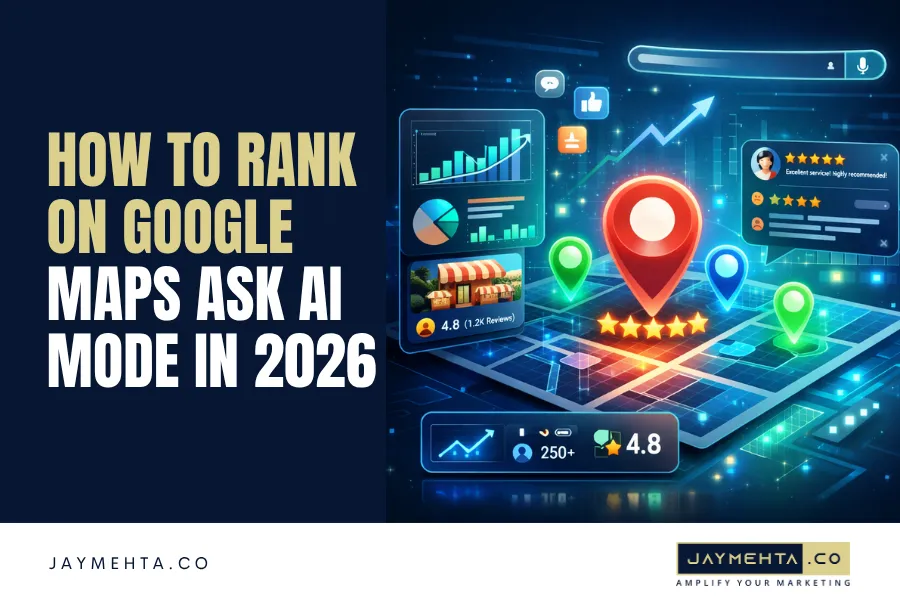
Google Maps just changed how local businesses get discovered and most businesses have no idea it happened.
With the launch of “Ask Maps” powered by Gemini AI, users no longer scroll through a list of local options. They ask one conversational question and Google returns one single recommendation. One business wins. Everyone else gets zero visibility.
If you want to rank on Google Maps Ask AI Mode in 2026, simply claiming your listing, doing SEO and collecting a few reviews is no longer enough. The Gemini AI reads your entire digital presence, every word in your Google Business Profile, every customer review, every photo and decides in seconds whether your business deserves to be recommended.
This is the step-by-step guide to becoming that recommendation to improve your Digital Marketing for your business.
Also Check: Google Business Profile Photo Order Is Changing. Here’s Why Your Best Images Aren’t Showing First
What Is Google Maps Ask AI Mode?
Google Maps Ask AI Mode is a Gemini-powered conversational search feature built directly into Google Maps. Instead of keyword searches, users ask natural questions and the AI returns one confident local business recommendation.
- Old Maps: User types “plumber near me” → Sees 3 to 5 listings → Scrolls and compares.
- Ask Maps: User asks “plumber for a burst pipe available tonight in Bandra” → Sees one AI-recommended business → Calls immediately.
- The businesses winning here are not the most famous. They are the most clearly described ones whose profiles give the AI enough specific, trustworthy data to recommend without hesitation.
Also Check: Mastering Voice Search SEO: Optimization Strategies for Voice Search
The Foundation: 3 Signals You Must Lock Down First
Before anything else, fix these three core signals. Without them, nothing else works.
- NAP Consistency: Your business Name, Address, and Phone number must be identical across every platform GBP, website, social media, directories. Even “St.” versus “Street” creates a trust gap between the AI flags. It cross-references your information like a fact-checker before recommending you.
- Category Precision: Do not just select “Plumber.” If you specialise in residential tankless water heater installation, select “Residential Plumber” as your primary category. Broad categories produce low-confidence AI matches.
- Service Area Mapping: List specific neighbourhoods and pin codes not just a city. When a user in Powai asks for an electrician, the AI prioritises businesses that have explicitly mapped Powai as a service area.
These are the cost of entry to rank on Google Maps Ask AI Mode. Get them right first.
Step 1: Optimise Your Google Business Profile for the AI
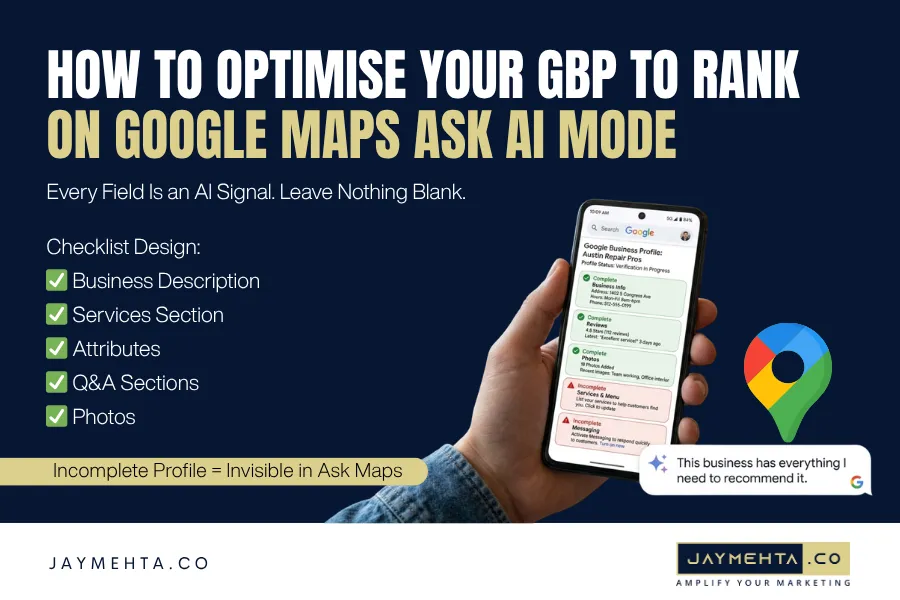
Your GBP is your primary pitch to the Gemini AI. A half-complete profile is an invisible profile.
Write a description that answers real customer questions. You have 750 characters use every one with specificity, not generic marketing language.
Weak: “We provide plumbing services across Austin at competitive rates.”
Strong: “Austin’s trusted emergency plumber since 2009. We specialise in burst pipe repairs, blocked drain clearing, and same-day water heater replacement licensed plumbers arriving in under 90 minutes. Transparent pricing, zero hidden charges. Available 24/7. Serving Bandra, Andheri, Juhu, and Kurla.”
The second version gives the AI specific services, response times, USPs, and locations. When someone asks “emergency plumber in Bandra available tonight,” the AI has everything it needs to recommend that business confidently.
Complete every single field:
- Services: List each service individually with its own description and pricing. “Tankless Water Heater Installation Rinnai and Racold brands” beats “Plumbing Services” every time.
- Attributes: Check every applicable option: wheelchair access, online booking, women-led, free parking. The AI filters results using these signals. An unchecked attribute is a missed match.
- Q&A Section: Populate it yourself with the questions your phone rings with daily. Each answered question is a data point the AI uses to match you with relevant queries.
- Photos: Upload 15 to 20 high-quality images. Name files descriptively before uploading (emergency-plumber-bandra-austin.jpg) and add captions. The AI reads both as content signals.
Need help auditing your GBP from scratch?Book a strategy session with Jay to build a profile the AI trusts.
Step 2: Make Your Reviews Work for the AI
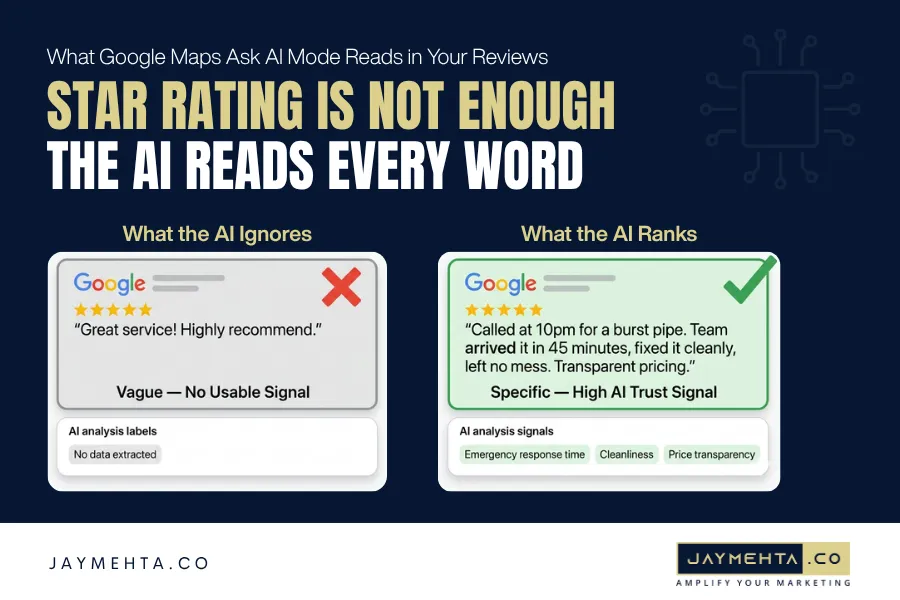
The Gemini AI does not just count your stars. It reads your reviews and scans the language customers use to understand what you do well and whether your strengths match what a user is asking for right now.
200 generic five-star reviews (“Great service! Highly recommend!”) carry far less weight than 80 reviews with specific, descriptive language about real experiences.
Also Check: AI-Powered SEO: 9 Key Principles for Next-Level Content Creation
Guide customers toward useful reviews with a specific request:
- Generic: “Please leave us a Google review!”
- Specific: “Hi [Name], thanks for the bathroom waterproofing today. If you have a moment, a Google review mentioning the specific service and how our team performed would help us enormously.”
- That one phrase “mention the specific service” consistently produces reviews the AI can actually use to match your business with relevant queries.
Respond to every review within 24 hours. Use the customer’s name, reference the service, and naturally include a location keyword in your reply: “Thank you, Priya glad the emergency drain clearing resolved the issue quickly. We are always available for plumbing needs across Bandra.” Review responses are an active AI engagement signal they show the AI your business is well-managed and trustworthy.
Step 3: Use Your Website to Confirm Your GBP Claims
Your website is the evidence the AI checks to verify what your GBP promises. If your profile lists “emergency AC repair” but your website has no dedicated page for that service, the AI’s confidence in your business drops and it recommends a competitor whose website clearly backs up their claims.
- Create a dedicated page for every core GBP service. Use the exact same service name in the page title. Add process details, pricing structure, areas covered, and customer testimonials specific to that service.
- Build localised service pages for every area you serve. A roofing company servingTexas and Austin needs three separate pages each with area-specific content, local project examples, and client testimonials from that locality. A generic “we serve Austin” page does not convince the AI you have genuine on-ground presence in each community.
This website-to-GBP alignment is what seals the deal. Your GBP makes the claim. Your website proves it. Together they give the AI the confidence to rank on Google Maps Ask AI Mode and recommend your business without hesitation.
ExploreJay Mehta Digital’s local SEO services to build this full-stack local presence properly.
Conclusion
Google Maps Ask AI Mode does not reward the busiest business it rewards the most trusted one. The AI is looking for a single business it can recommend with complete confidence. That means your GBP must be specific and complete, your reviews must contain descriptive real-world language, and your website must confirm every claim your profile makes.
The businesses building these three pillars right now are the ones that will dominate Ask Maps visibility when the feature scales globally. The window of organic-only competition is open today but it will not stay open forever.
If you are serious about local search in 2026,connect with Jay’s team and build the system that helps you rank on Google Maps Ask AI Mode before your competitors do.